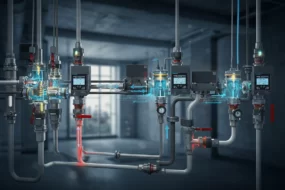


When you’re designing a hydraulic power unit (HPU), it’s easy to get buried in part numbers, pricing tables, flow and pressure specs. We’ve all been there, juggling fitting choices, spatial constraints, supplier quirks, and cost pressures. That’s where AI can make a real difference.
In this post, I’ll walk through a practical strategy for using local AI tools to automate and optimise fitting selection in hydraulic systems. This isn’t about replacing engineers, it’s about freeing us up to focus on the parts of the job that need real thinking, while the system handles the tedious cross-referencing and pricing legwork.
The Idea
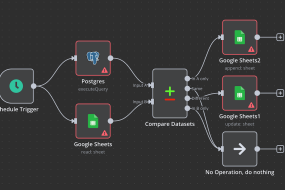
The concept is simple: use a local large language model (LLM) with retrieval-augmented generation (RAG) to connect your CAD data, supplier databases, and design rules into one intelligent assistant. This system helps engineers make the best fitting and hose choices for each build, not just technically, but also economically.
How It Works
Phase 1: Build the Foundation
Data Integration
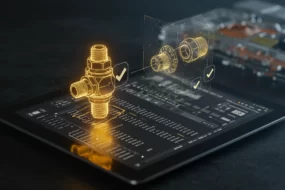
- Extract the bill of materials (BOM) and spatial data (XYZ coordinates and port orientations) directly from SolidWorks.
- Pull in supplier data, including live pricing, part availability, and technical specs.
- Create a simple internal database for constraints like minimum bend radius, flaring length, pressure ratings, and hose clearance rules.
AI Setup with Ollama and RAG
- Deploy a local LLM (e.g. DeepSeek via Ollama) to run entirely offline, ensuring privacy and speed.
- Use RAG (Retrieval-Augmented Generation) with a local vector database (e.g. ChromaDB) to give the model real-time access to engineering rules, supplier specifications, and historical data.
- The system can then suggest the most cost-effective and spec-compliant combinations of fittings and routings.
Choosing the Right Customisation Method
Ollama gives engineers flexible ways to customise their AI assistant. Here’s how the different options stack up:
| Feature / Purpose | Custom Modelfile | Adapter (LoRA) | Template | RAG + Vector DB |
|---|---|---|---|---|
| Main Use | Set tone & behaviour | Add domain knowledge | Format prompt structure | Inject real-time knowledge into LLMs |
| Example | “Be a helpful assistant” | Train to be a hydraulic expert | Add [User] / [System] roles | Ask “What fittings fit this spec?” |
| Dynamic Knowledge Access | No | No | No | ✅ Yes (via local DB) |
| Role Definition | ✅ Yes | ✅ Yes | ⚠️ Only format | ⚠️ Prompt-only |
| Requires Fine-Tuning? | ❌ No | ✅ Yes (external training) | ❌ No | ❌ No |
| Update Without Rebuild | ❌ No | ⚠️ Needs re-export | ✅ Yes | ✅ Yes (just update DB) |
| Best For | Static assistants | Niche technical domains | Prompt clarity | Searching large data sets like BOMs |
| Offline Compatible | ✅ Yes | ✅ Yes | ✅ Yes | ✅ Yes (with local DB) |
| Example File | Modelfile | myadapter/ folder | mytemplate.tmpl | chroma.db/ or vector_db.py |
| Command to Use | ollama create | ollama create | ollama create | Use with LangChain or LlamaIndex |
What’s the takeaway?
For this kind of fitting optimisation system, the RAG + vector DB method is the real powerhouse. It allows your LLM to pull in updated, project-specific knowledge dynamically, perfect for comparing fittings, reviewing supplier specs, or enforcing minimum bend radius rules on the fly. Meanwhile, Modelfiles and Templates are best for giving your assistant a consistent personality or formatting style.
Phase 2: Integrate with the Workflow
In SolidWorks
- Build a VBA macro or C# add-in to automate BOM export and routing extraction.
- Let the AI return optimised BOMs and routing suggestions directly into your design file for review.
For Quoting and Procurement
- Automatically generate BOMs tailored to specific suppliers.
- Provide real-time lead times and availability so you don’t quote based on parts you can’t get.
Phase 3: Pilot and Validate
- Run the AI system alongside your current manual process on a few projects.
- Compare cost, speed, and accuracy.
- Tweak the logic based on engineer feedback and field performance.
Phase 4: Full Rollout
- Integrate the system into all HPU builds.
- Train engineers to keep constraint data up to date via a simple admin dashboard.
What This Means in Practice
Faster, Smarter Quotes
No more second-guessing fitting costs or chasing down supplier PDFs. Quotes can be generated with current pricing and availability baked in, making them both faster and more reliable.
Better Builds, Fewer Surprises
By taking into account pressure specs, bend radii, and flaring allowances, the AI only recommends fittings that are up to the task. You also get routing suggestions that make the build more intuitive and cleaner.
More Time for the Real Engineering
With routine decisions and admin off your plate, you can focus on what matters: solving problems, improving designs, and managing projects. It’s a win for productivity and for peace of mind.
Why This Matters
Having worked on projects involving complex hydraulic layouts and bespoke builds, I know how easy it is to lose time and money to manual quoting and sourcing. What excites me about this system is not just the cost-saving potential, but the way it empowers engineers to work smarter. It’s like having an experienced assistant who never forgets a spec, always checks stock, and suggests the most efficient route, all while you keep your hands on the real design work.
Glossary
LLM (Large Language Model)
A powerful AI model trained on vast amounts of text. Can understand and generate human-like responses. In this context, it helps recommend fitting and routing choices.
RAG (Retrieval-Augmented Generation)
A method that gives AI models access to external knowledge like documents or databases. Perfect for technical systems where specs and supplier info change often.
Vector Database
A type of database used to store documents in a way that makes them easy for AI to search semantically. Allows the AI to find the “meaning” behind a query, not just keywords.
Modelfile
A configuration file in Ollama used to define the tone and role of the AI. Best for shaping how it behaves in a static assistant setting.
Adapter (LoRA)
A lightweight training method used to teach a base model new knowledge or skills. Useful when creating domain-specific models like a legal or engineering expert.
Template (.tmpl)
Used to enforce consistent structure in prompts. Ideal for formatting complex multi-step queries or workflows.
SolidWorks
CAD software commonly used in mechanical design. Provides 3D models and spatial data used here for fitting and routing optimisation.
Minimum Bend Radius
The smallest safe bend a hose or tube can make without kinking or losing structural integrity.
Flaring Length
The minimum length needed at the end of a tube to allow for a proper flared fitting. Shorter lengths risk improper sealing or damage during assembly.